ParkingPro · B2B

Airport Parking Channel Manager

Commercial parking operators rarely sell through a single route. A website, a call centre, walk-up customers and one or more comparison or booking platforms may all draw on the same physical spaces at the same time. ParkingPro's central booking, capacity and channel pricing engine is designed to be the single source of truth behind all of these sales points, reducing the risk of overbooking and simplifying how rates are managed across channels. This page explains how that central engine works in practice and what operators should consider when adding or managing sales channels.

  • One capacity pool shared across every connected sales channel, reducing the risk of overbooking a location
  • Central control over channel pricing, so rate strategies can be reviewed and adjusted without updating each platform by hand
  • A consistent operational process on site, using the Driver App for every booking regardless of which channel it originated from

01 / ParkingPro

What 'channel management' means inside ParkingPro

Inside ParkingPro, channel management starts with the central booking and capacity engine. Every space at a location is tracked as a single pool of inventory, and every confirmed booking — whatever its source — deducts from that same pool. This is the mechanism that keeps a direct website booking and a booking placed through another channel from accidentally selling the same space twice.

Channel pricing sits alongside this: operators can define pricing rules per channel, which allows for differentiated rate strategies — for example a different rate presented on a comparison platform than on the operator's own site — while keeping the underlying capacity figures accurate and centrally managed. The exact configuration options available depend on the specific channels connected and should be confirmed with the ParkingPro team for your account.

02 / ParkingPro

Connecting new or existing sales channels

Adding a new channel to ParkingPro's central engine is not an automatic, one-click process; it requires confirming what data that channel needs to send and receive, what commercial agreement governs the relationship between the operator and that channel, and what access scope is appropriate. This applies equally to well-known comparison platforms and to smaller or regional booking partners.

For operators already working with multiple channels before adopting ParkingPro, an early step is mapping out each existing relationship: current contract terms, how availability is currently updated (manually or otherwise), and where discrepancies or double-booking risks have occurred in the past. This mapping gives ParkingPro's team a realistic starting point for discussing what centralisation could look like.


ParkingPro product film · Example data

03 / ParkingPro

From booking to operations: keeping the chain consistent

A channel manager is only useful if the bookings it produces flow cleanly into day-to-day operations. In ParkingPro, confirmed bookings — from any connected channel — are handled on site using the Driver App, where staff record vehicle photographs and collect a customer signature at both drop-off and pick-up. This gives operators a consistent record-keeping process no matter where the original booking was made.

Live departure and arrival times can support airport parking planning, with optional gate information. Which flight details are supplied by a connected channel and linked to a booking must be confirmed in the integration scope. Flight information helps your team plan; no automatic gate assignment or flight-based pricing is implied.

See how ParkingPro fits your parking operation.

Request a demo

04 / ParkingPro

Planning a multi-channel setup with ParkingPro

Operators planning to centralise several sales channels through ParkingPro should expect a structured review rather than a single configuration step. This typically involves listing every channel currently in use, clarifying contractual terms with each, and prioritising which channels to connect first based on booking volume or operational risk.

ParkingPro's team can support this planning process, but cannot commit in advance to specific integration timelines or guaranteed outcomes with any particular external platform, since much of the work depends on agreements and technical specifications that sit outside ParkingPro itself. Reach out via support@parkingpro.eu to start this conversation for your location.

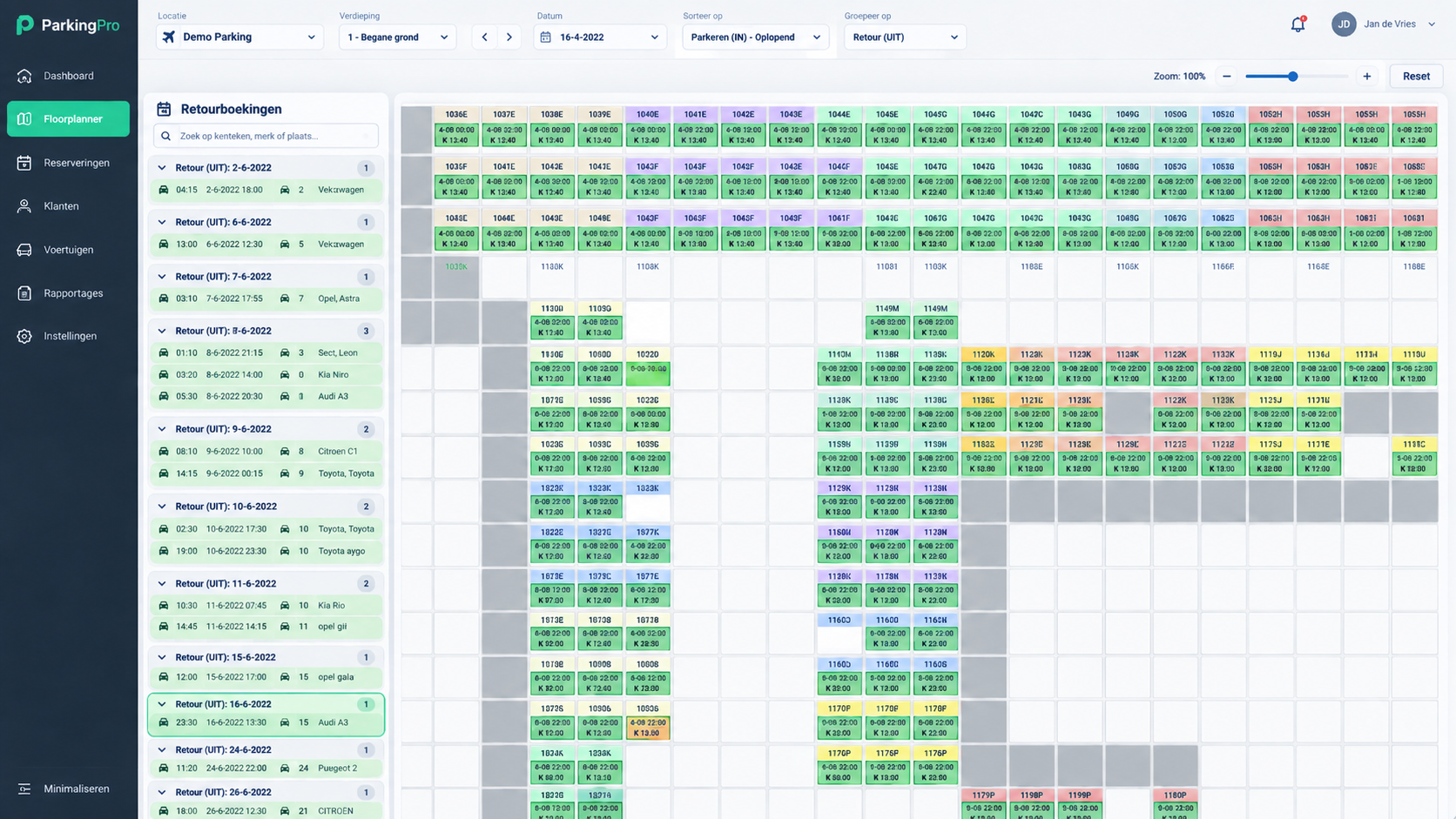
Floorplanner Pro: car park floor plan with colour-coded bookings per space and returns per day
Floorplanner Pro in the ParkingPro dashboard — demo data.

Checklist

  • List every sales channel your location currently uses
  • Confirm the contractual terms and current data exchange with each channel
  • Prioritise channels for connection based on booking volume and risk
  • Contact support@parkingpro.eu to plan assessment of each channel individually

Frequently asked questions

Does ParkingPro work as a full channel manager out of the box?

ParkingPro provides a central booking, capacity and channel pricing engine designed to support multi-channel selling. Connecting specific external platforms still requires individual technical and contractual assessment.

Can I set different prices for different channels?

Channel pricing can be managed centrally, allowing different rate strategies per channel where configured. Exact options depend on your setup and should be confirmed with the ParkingPro team.

How are bookings from different channels handled on site?

All confirmed bookings, regardless of channel, can be processed through the Driver App, which records vehicle photographs and customer signatures at drop-off and collection.

Related topics

See how ParkingPro fits your parking operation.