
Is ParkingPro officially partnered with ParkVia?
No specific partnership is assumed here. Any connection between ParkingPro and ParkVia depends on individual agreements and access scope that need to be verified for your account.
Europe's no. 1 Parking Management System


ParkingPro · B2B
ParkVia is one of several booking platforms through which commercial parking operators sell airport parking capacity. Because ParkingPro manages booking, capacity and channel pricing from one central engine, connecting any external channel — ParkVia included — raises the same core question every time: how will availability and pricing data stay accurate across every place a space can be sold? This page sets out the practical considerations for operators evaluating a ParkVia connection, without assuming a pre-existing partnership or an automatic technical link.
01 / ParkingPro
At the heart of ParkingPro is a central booking and capacity engine that tracks every available space, every price tier and every confirmed reservation for a location. Any channel selling that same capacity — a direct website, a call centre, or a third-party platform like ParkVia — needs a reliable way of reading current availability and writing back confirmed sales, so the numbers stay correct everywhere at once.
Channel pricing is handled centrally as well, which in principle allows different rates to be applied for different sales channels. Whether a ParkVia connection can make use of this, and in what way, depends entirely on the technical and commercial details of that specific connection, which have not been assumed here and should be clarified directly with ParkingPro.
02 / ParkingPro
Before a ParkVia connection is activated, account mapping, commercial arrangements and technical access need to be confirmed for your location. This page does not establish official partner status or assume every account has the same available functions. Review the data scope and responsibilities with our team before planning activation.
This also means reviewing what access ParkVia currently has (if any) to a location's listings and rates, and comparing that against what ParkingPro's central engine would need to expose or receive for a working connection. Until this mapping exercise is done, it is not possible to say with certainty what level of integration, if any, is achievable for a given location.
03 / ParkingPro
Assuming a connection is agreed and built, the practical goal would be for ParkVia bookings to enter the same operational flow used for every other booking source. On site, that means staff could process arrivals and departures from ParkVia customers using the Driver App, recording vehicle photographs and capturing a signature at both drop-off and collection, just as they would for a direct booking.
Live departure and arrival times can support airport parking planning, with optional gate information. Which flight details are supplied by a connected channel and linked to a booking must be confirmed in the integration scope. Flight information helps your team plan; no automatic gate assignment or flight-based pricing is implied.
See how ParkingPro fits your parking operation.
Request a demo04 / ParkingPro
Operators interested in a ParkVia connection should start by gathering what they already know: their existing ParkVia listing setup, any documentation ParkVia has provided about its connection requirements, and an estimate of booking volumes through that channel. This information makes the first conversation with ParkingPro far more productive.
From there, ParkingPro's team can assess technical feasibility and help identify what commercial or contractual steps with ParkVia would be needed in parallel. No guarantees are made at this stage about scope, timeline or outcome — the purpose of this review is to replace assumptions with a clear, verified picture before any build work is scheduled.
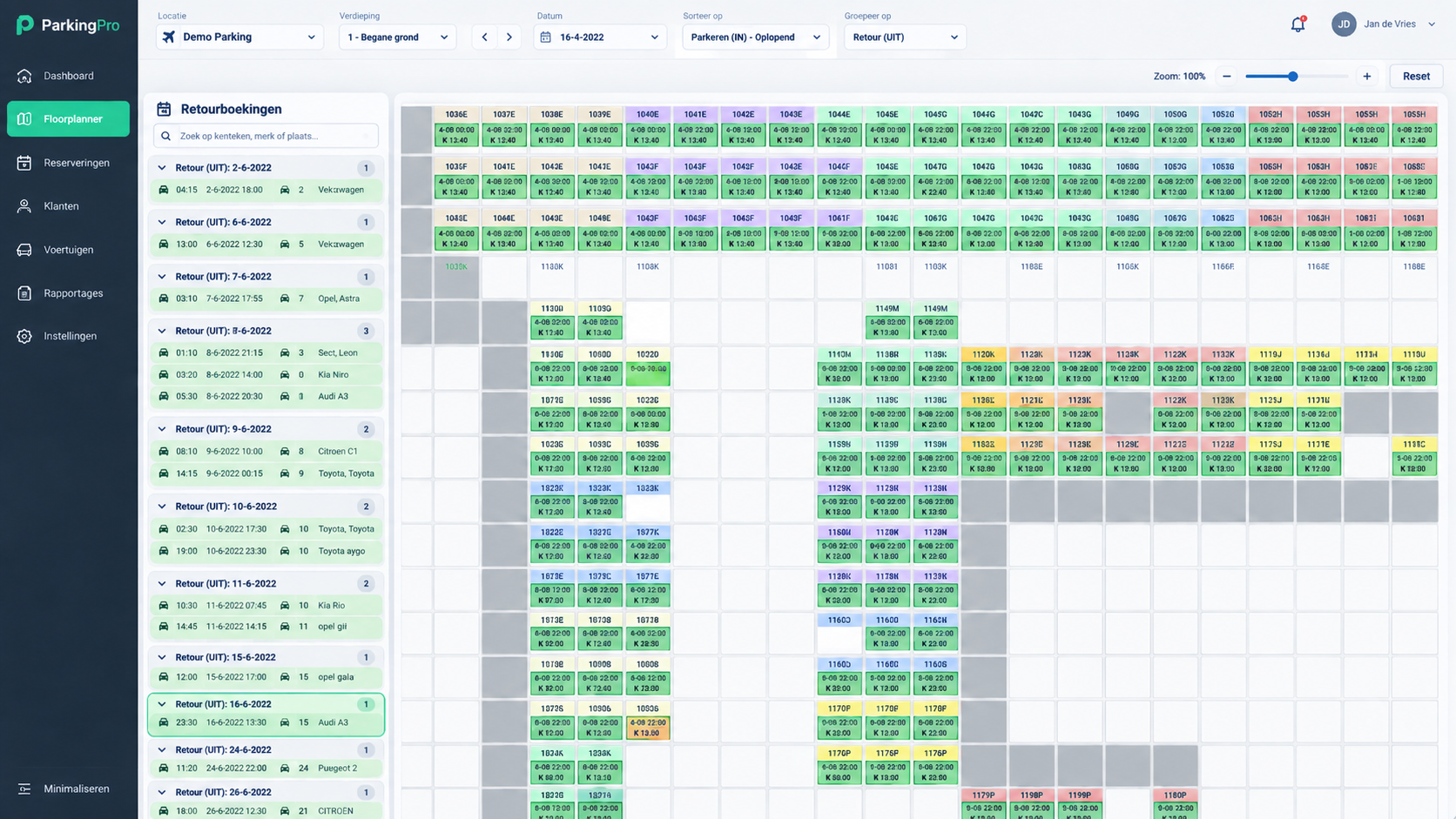
No specific partnership is assumed here. Any connection between ParkingPro and ParkVia depends on individual agreements and access scope that need to be verified for your account.
Automatic availability updates depend on the confirmed data exchange and configuration for your account. We review this scope with you rather than assume the same connection applies to every location.
Contact support@parkingpro.eu with details of your current ParkVia arrangement so the team can review technical and contractual feasibility together with you.