Parking Management

Best Airport Parking Software

A booking is only the beginning. After that, capacity, staff, vehicles, access, and payment must align. ParkingPro brings your sales and daily parking operations together — from a single site to multiple locations.

  1. 01

    Reservation

    Direct website and connected channels.

  2. 02

    Preparation

    Capacity, daily list, and staff.

  3. 03

    Parking

    Access, vehicle, and key management.

  4. 04

    Completion

    Departure, payment, and insight.

  • Reservations and daily tasks in the same overview
  • Capacity, rates, and bookability per location and period
  • Internal booking forms and connected booking channels
  • Driver App, key management, and GPS for your staff
  • ANPR, QR, and barriers via supported integrations
  • Insights into occupancy, peak times, and changes
250+
Car parks
100+
API partners
5M+
Reservations
10+
Countries

Operations in focus

Your daily operation, instantly recognizable

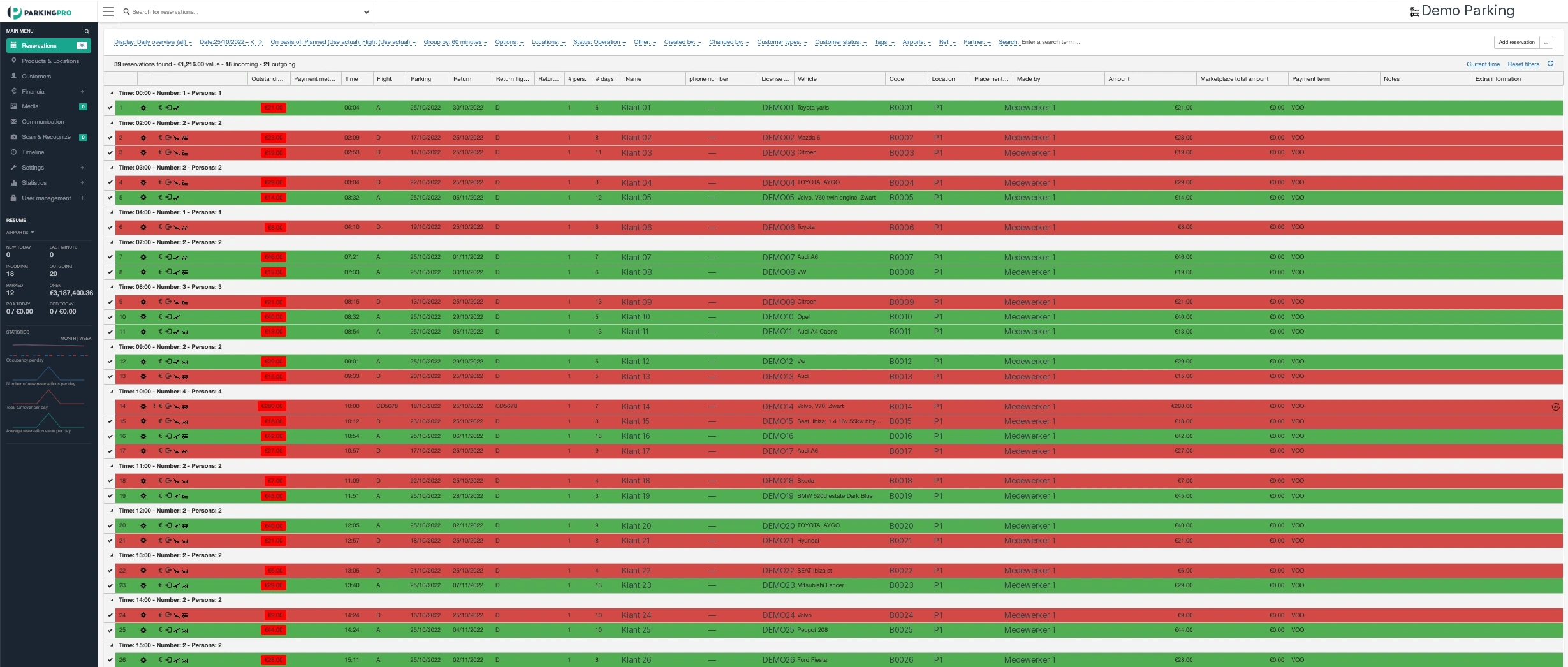
From arrival and vehicle photos to real-time flight information: the daily list brings together the data your employees need to get to work.

Actual ParkingPro software view · customer data anonymized
1

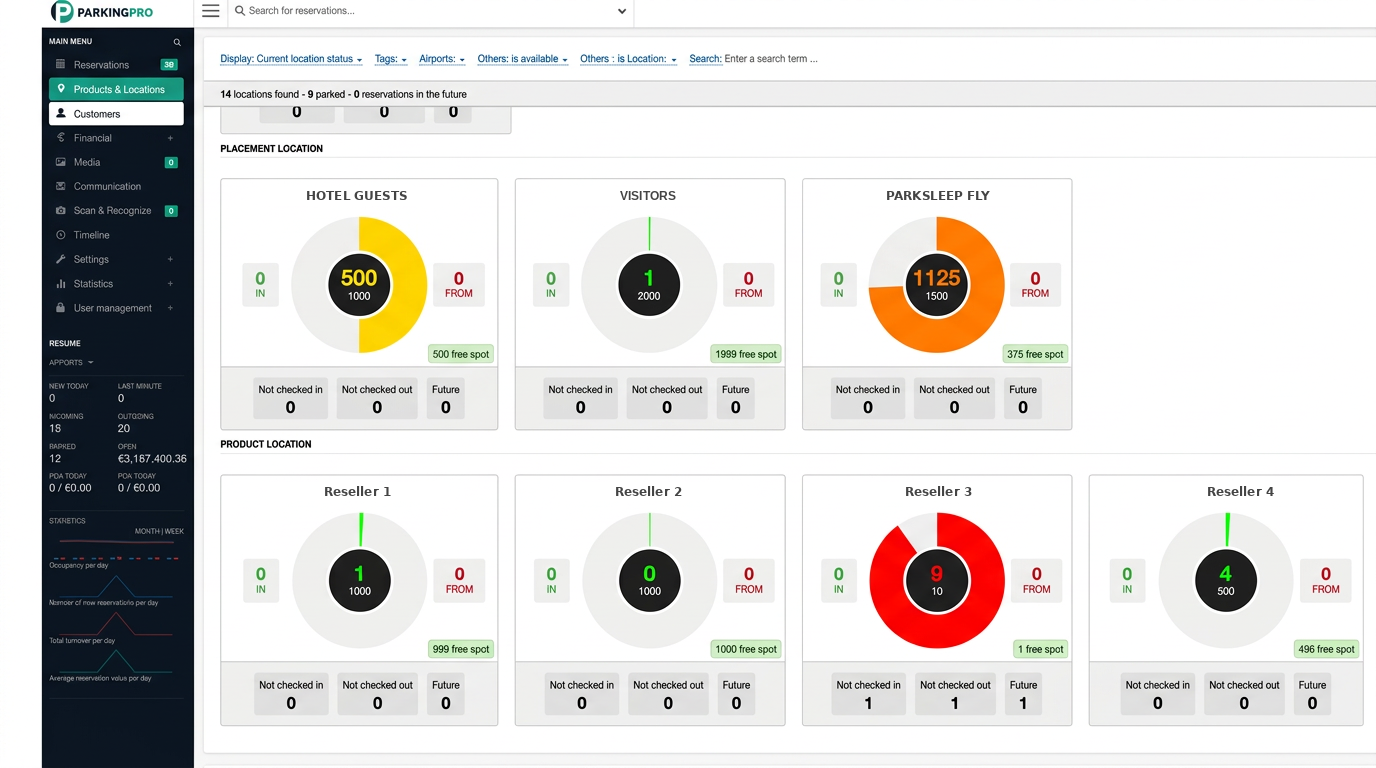
One real-time overview for every location

Which vehicles are expected today? How much space is left and which customers are coming to collect their cars? Your parking operation requires an overview where reservations, arrivals, and departures are consolidated.

ParkingPro connects the booking with the work on-site. Your reception, field staff, and drivers work with the same information. With multiple locations, you maintain local oversight and the cohesion between your sites.

Capacity and occupancy per parking lot in ParkingPro
2

Capacity and rates that fit your operation

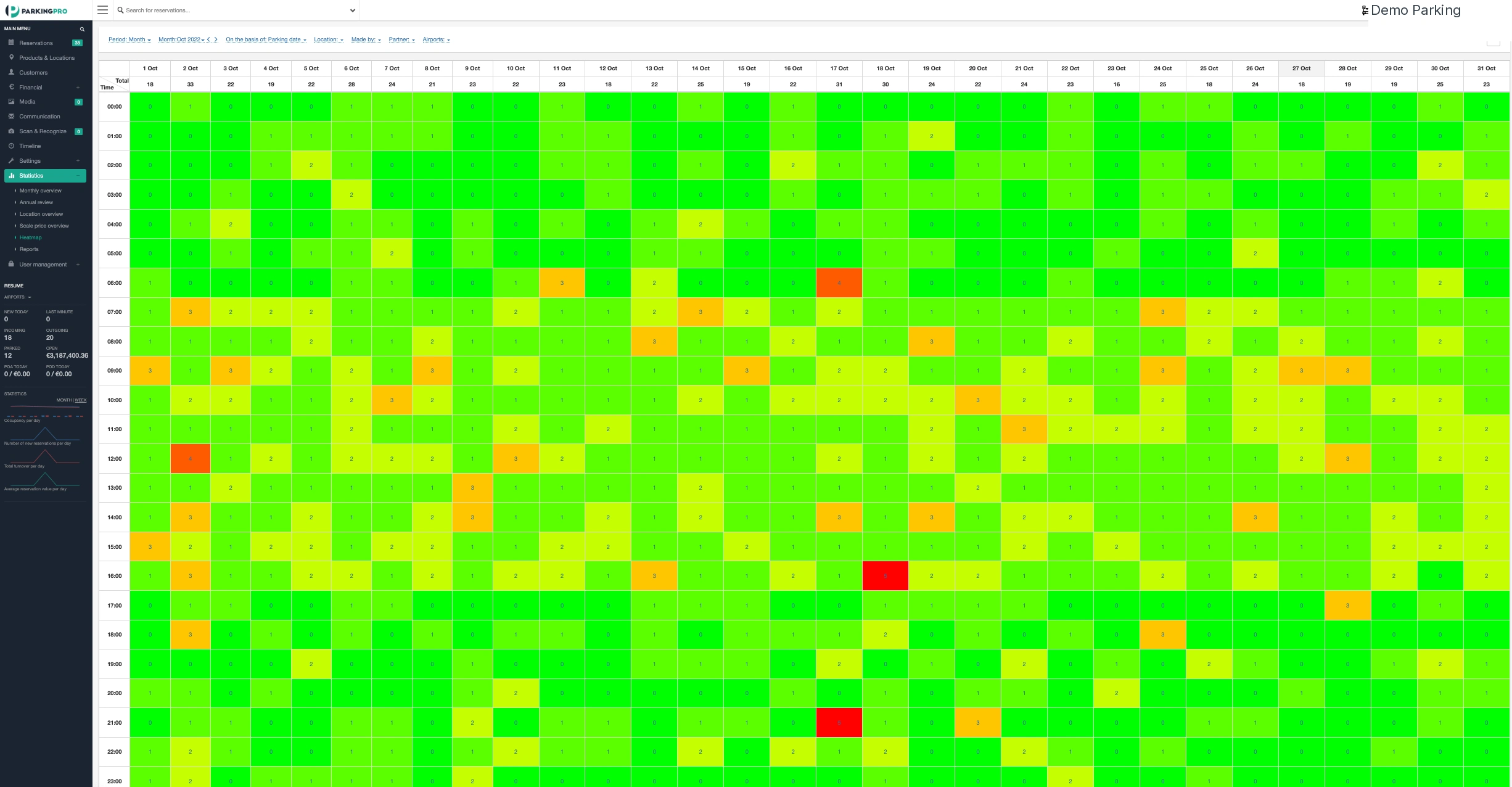
A parking space is not just occupied today: a reservation can span several days. Manage your capacity, rates, and opening hours in conjunction with the selected parking period and your available products.

With insight into occupancy and busy periods, you can adjust your offer specifically. Current price and bookability are checked for the requested period and the relevant sales channel; a previously shown price is no guarantee for a new request.

Real anonymized heatmap with parking occupancy and peak moments
3

Direct sales and booking channels connected

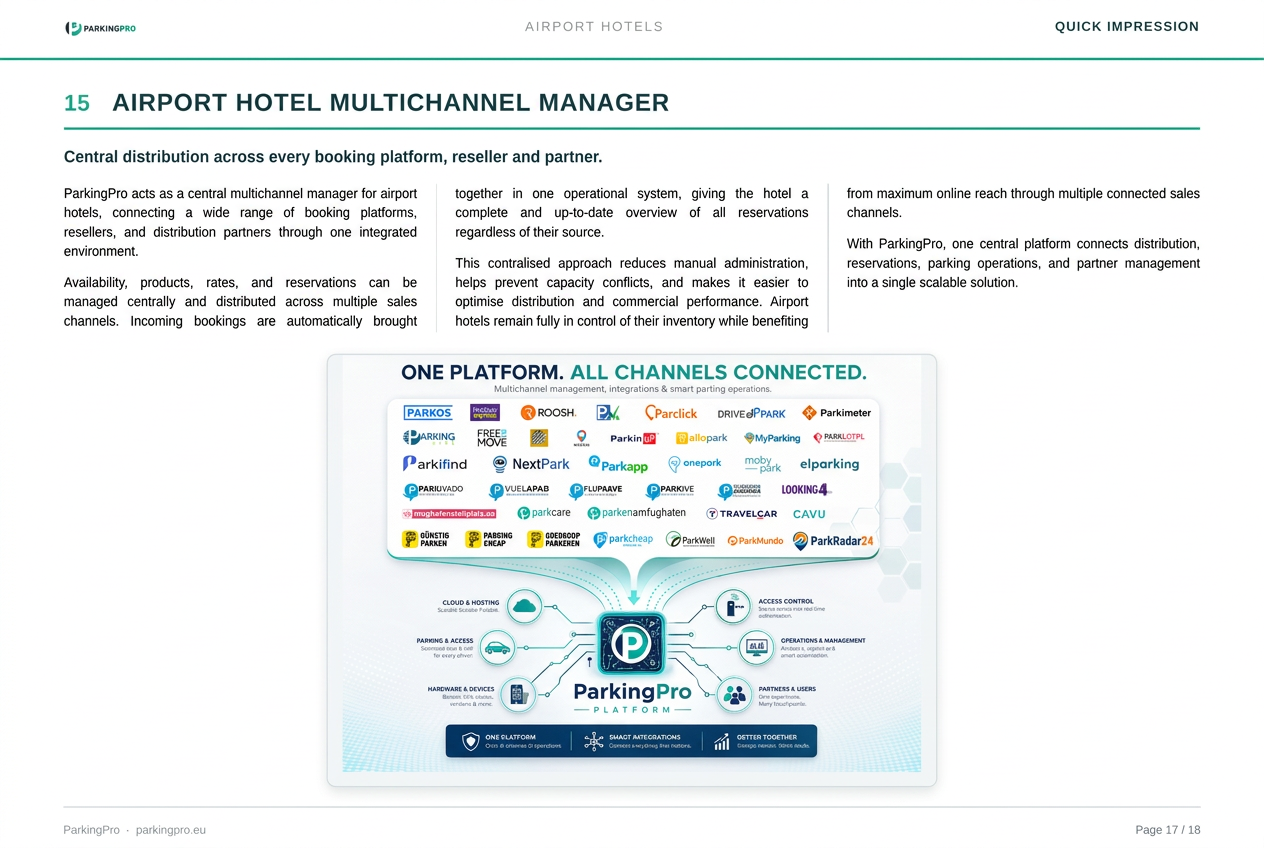
Receive reservations via your own website and through supported resellers. With the Multichannel Manager, you bring connected channels together with your parking products, capacity, and reservation management.

This way, a partner booking becomes part of the same daily operation as a direct reservation. The available API and the agreements with the channel determine which data is exchanged. Resellers may apply their own prices, surcharges, and conditions.

Booking channels connected via ParkingPro Multichannel Manager
4

From reservation to site access

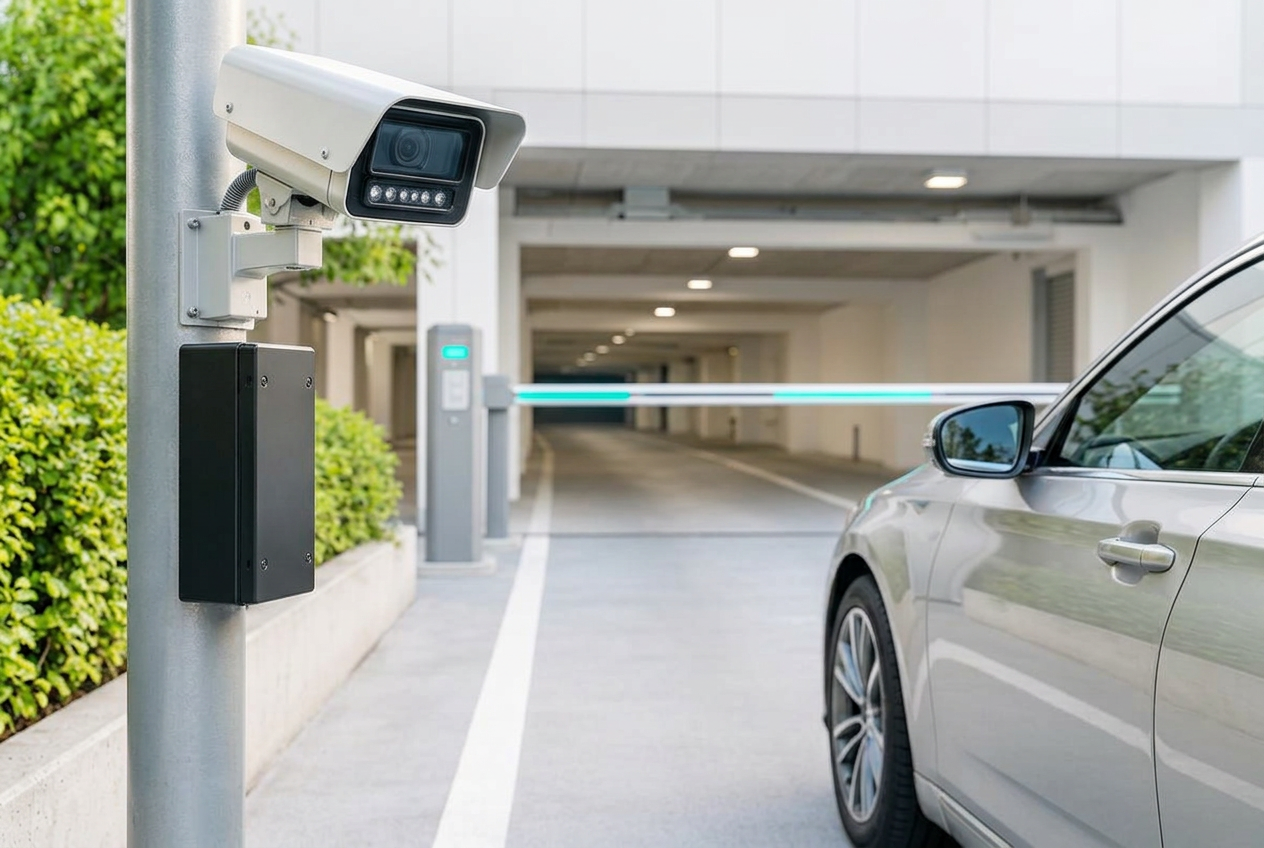
Connect a valid reservation with ANPR, QR access, and a suitable barrier installation. At the entrance, vehicle data aligns with the information your employees already use.

Do you have existing hardware? We assess the available API, access conditions, and exceptions before setting up an integration. Automation supports your team; service handling and procedures remain part of your own operation.

License plate recognition at the entrance of a parking locationLicense plate recognition at the entrance of a parking location
5

Staff connected with the Driver App

In shuttle and valet parking, much of the work takes place away from the reception. With the ParkingPro Driver App, your team can record vehicle data and photos during intake, handover, and on-site tasks.

Connect vehicle registration with key management and the associated booking. Drivers have their own login. With suitable mobile devices or GPS hardware, you can track and record trips, with clear agreements on privacy and data access.

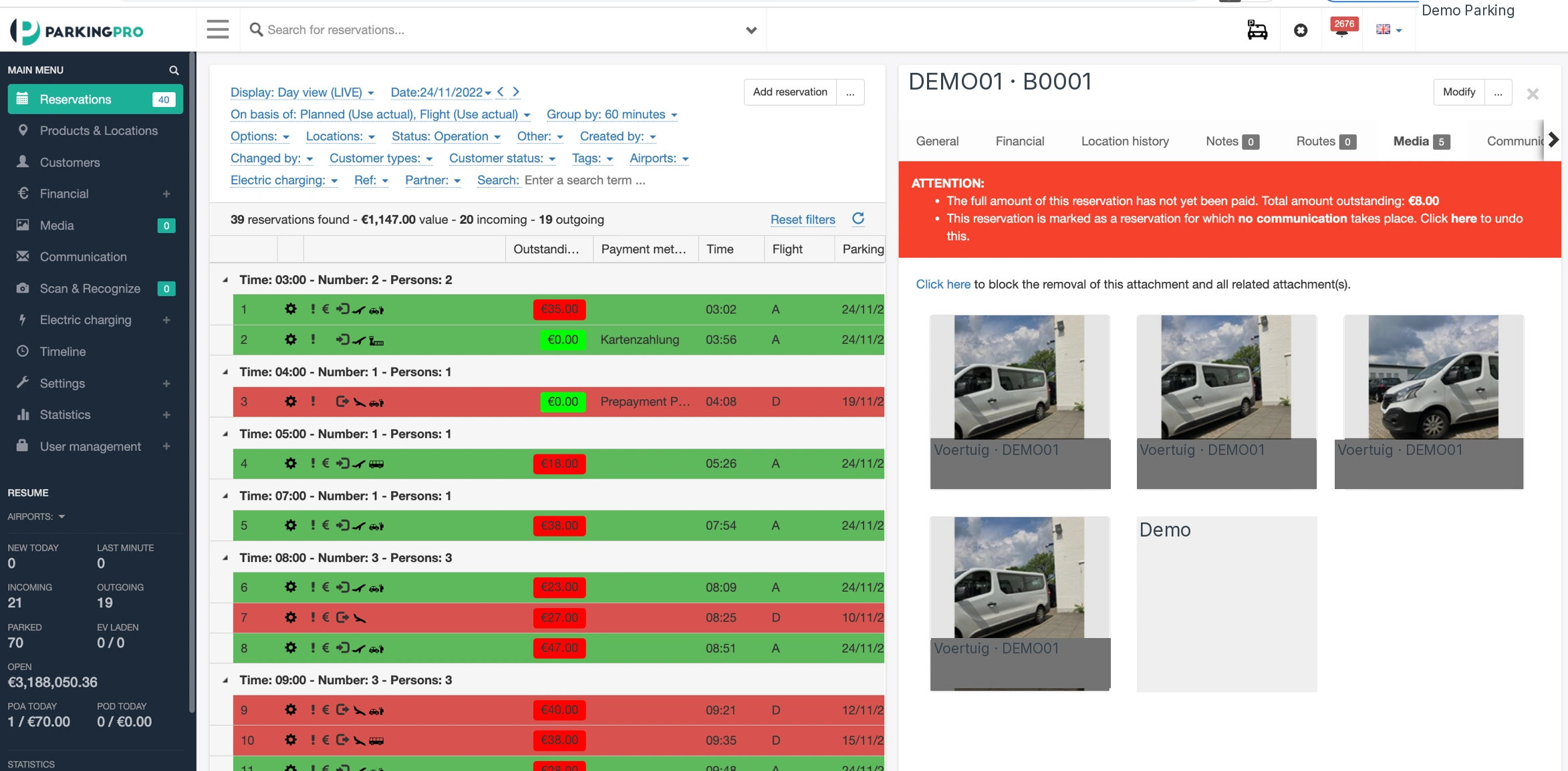
Real anonymized vehicle photo registration with a booking
6

Airport parking: looking ahead with real-time flight data

For off-site airport parking, planning doesn't stop at the specified arrival time. Real-time flight information on your daily list helps your team account for changed arrivals and returning travelers.

Combine that overview with your shuttle and valet process: who is expected, which vehicle belongs to the booking, and which trip requires attention? Flight information supports your planning; your employees remain responsible for execution and customer coordination.

Anonymized ParkingPro daily list with vehicle photos, reservations, and flight information
7

Visualize your site and peak moments

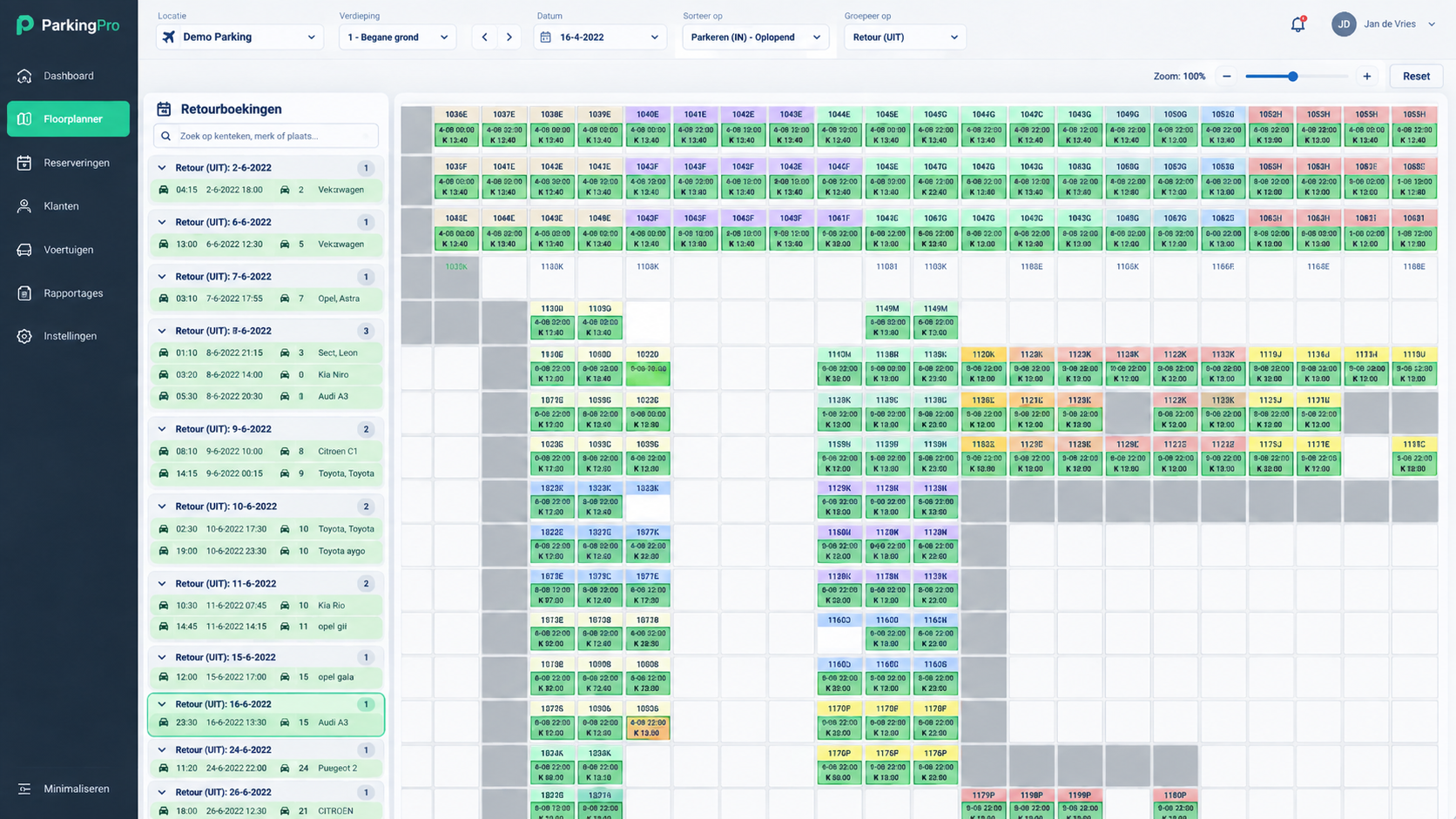
A full daily list doesn't tell the whole story. With Floorplanner Pro, you make your site layout visible. The heatmap shows how occupancy develops over periods and where peak moments occur.

Use these insights to evaluate your site layout, work distribution, and offering. You manage based on information from your own parking operation, rather than separate spreadsheets and assumptions.

Floorplanner Pro with the visible layout of a parking lot
8

Payments, modifications, and responsibilities unified

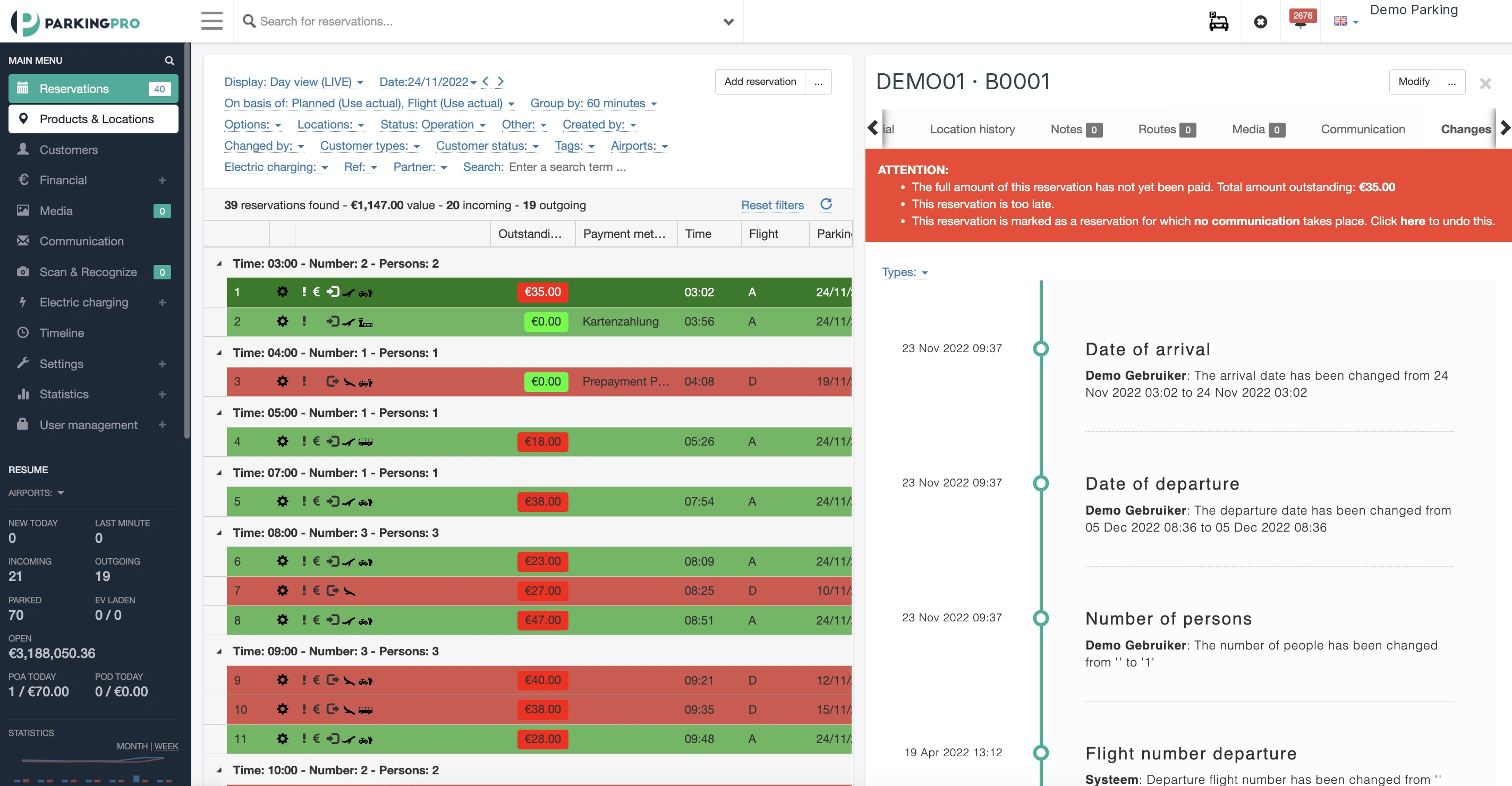
Keep reservation data and payment information with the same booking, using the payment options configured for your location. When a reservation changes, the change log helps your team find what was modified.

Set up user permissions appropriate for your organization and connect additional systems via the available API. We discuss which modules and integrations you need, so the setup fits your processes — not the other way around.

Real anonymized change log of a reservation

Sales and operations connected

Explore the Multichannel Manager

See how booking channels become part of your parking management. One connected process for your own sales, supported resellers, and the staff executing the reservations.

Connected with your booking partners

Use your own booking forms alongside supported reseller integrations. Holiday Extras, ParkVia, Parkos, ParkMundo, and Looking4 are among the channels centralized via the Multichannel Manager. The available API and agreements with each channel determine the data exchange.

  • Holiday Extras logoHoliday Extras logo

    Holiday Extras

  • ParkVia logoParkVia logo

    ParkVia

  • Parkos logo

    Parkos

  • ParkMundo logoParkMundo logo

    ParkMundo

  • Looking4 logoLooking4 logo

    Looking4

  • ParkingPro Reservations logoParkingPro Reservations logo

    ParkingPro Reservations

View all partners

Why ParkingPro

Less manual transfer work

Reservation data, vehicle registration, and tasks remain connected. Your team needs to transfer less information between separate systems.

Greater control over capacity

Assess occupancy and peak times and align your rates and offer with the available space per location.

A platform that fits you

Combine the modules and supported integrations your parking concept requires, across a single site or multiple branches.

Frequently asked questions

Which parking companies is ParkingPro suitable for?
For professional parking operators who want to connect reservations, capacity, and daily operations. This includes airport parking, shuttle and valet companies, cruise parking, hotel parking, and organizations with multiple sites. We tailor the modules to your way of working.
Can we manage multiple locations from one environment?
Yes. You can manage multiple locations and sites and tailor the configuration to your organization. Your employees use the data relevant to their location and responsibilities.
Does ParkingPro work with our own website and booking channels?
You can use your own booking forms alongside supported reseller integrations. The Multichannel Manager connects linked channels to your reservation management. The API and agreements with each channel determine the available data exchange.
Can we keep existing barriers and ANPR cameras?
We assess the API of your existing equipment and the required access processes. An integration depends on the available API access, technical possibilities, and coordination with the hardware supplier.
What does real-time flight data add for airport parking?
Flight information on the daily list helps your employees account for changed arrivals and returning travelers. This supports the planning of shuttle and valet tasks without taking over execution or customer coordination.
Can drivers and field staff work on mobile devices?
Yes. The Driver App supports vehicle registration and photos on-site. Drivers have their own login. GPS tracking and route registration can be set up via supported mobile devices or suitable hardware.
Does every employee have the same access?
No. User roles and permissions are configured according to the responsibilities of your employees and locations. Discuss during the demo who needs which information and tasks.
How do we handle a transition to ParkingPro?
We start with your parking process, locations, booking channels, and existing hardware. Then we determine which modules, data, and integrations are required and coordinate the setup and implementation together.


Also relevant

Bring your parking operations together

Tell us how your locations, staff, and booking channels work. We will show you how ParkingPro can connect your daily operations and which setup best suits your needs.